



 |
|
|
'Nomic Station
Adjustable Computer Desk
It is generally acknowledged that working on an adjustable computer desk or ergonomic workstation with inclined work surfaces set at an appropriate height is preferable to working on a flat surface with no height adjustment. See our section on ergonomic for more information.
Our adjustable computer desk features multiple independently adjustable work and equipment surfaces designed to fit people of any height. No matter what size you are, your keyboard, monitor and printer or scanner will be at the ideal height distance and angle to you for comfortable & productive computing.
The key work here is independent. While many desks claim to be adjustable, these adjustments are seldom independent of each other. And, many times only one or two surfaces have any adjustment at all. Also consider the range of adjustment. Do the ideal positions for you fall within this range?
But most people still work off flat, non adjustable surfaces. Why?
Working ergonomically is easier said than done, and has required development of technology to solve a number of problems, which we discuss below.
|
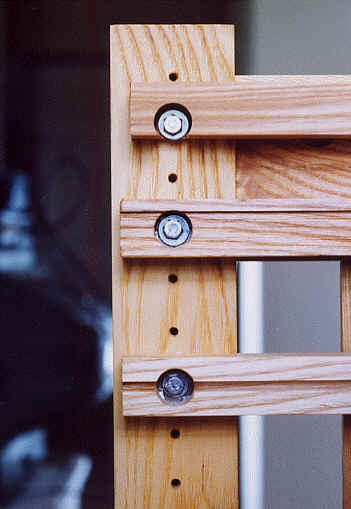
Height Adjustment The Pull Out Work Surfaces are inserted into the Stationary Slides that are attached to the Legs with screws. Each of the 4 Legs of a have screw holes drilled from top to bottom at 1 1/4" intervals. By removing 2 screws, each Stationary Slide can be repositioned at a different height on the legs, thereby adjusting the height of the Work Surface.
|
 |
|
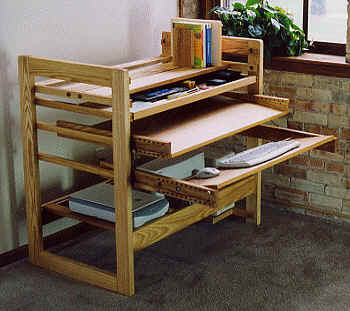
Pull Out Worksurfaces Both Worksurfaces pull in and out. Either can be pulled completely out, and repositioned at a different work position. While in use, Worksurface can be extended about 18". With this extention, and clearance under the Front Rail, leg room is nearly unlimited.
|
 |
|
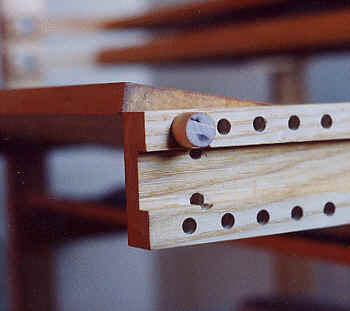
Tilt Mechanism Keyboarding Surface can be tilted about 50 degrees positive or negative. Both Keyboarding and Desk Surface can also be used flat. Changing angle takes about 10 seconds, and no tools are required. |
 |
|
Storage Tray
|
 |
|
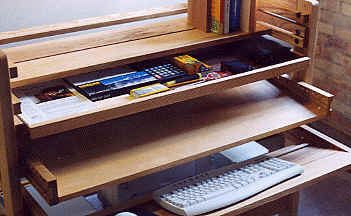
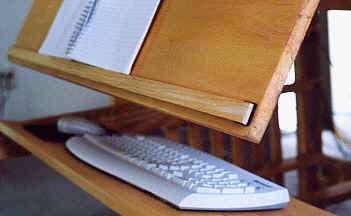
Stop Bars But you can't place everything in the storage tray. Items like mice,
keyboards and the object you are working on may be located on a tilted
worksurface. Newer desks may have adjustable "Stop Rods" instead of
these Stop Bars. They accomplish the same thing. |
 |
|
Factory Direct We sell our adjustable computer desk / ergonomic workstation factory direct from our work shop in Eaton Rapids. This allows us to build features into these products that would price store bought furniture with the same features out of most peoples range. |
Factory Direct
|
A special note to tall people and short people
Almost all office furniture we've seen has been designed for average sized people. In many cases, tall people or short people are just plain out of luck. But there is no such thing as an "average" sized person. "Average" is really nothing more than a mathematical abstraction. That is why we have designed our computer desk / ergonomic workstation to fit real people, no matter what size they are.